
Spinjitsu Escape Controls and Platforms
Desktop, console, mobile, and tablet — same smash loop, different thumbs.
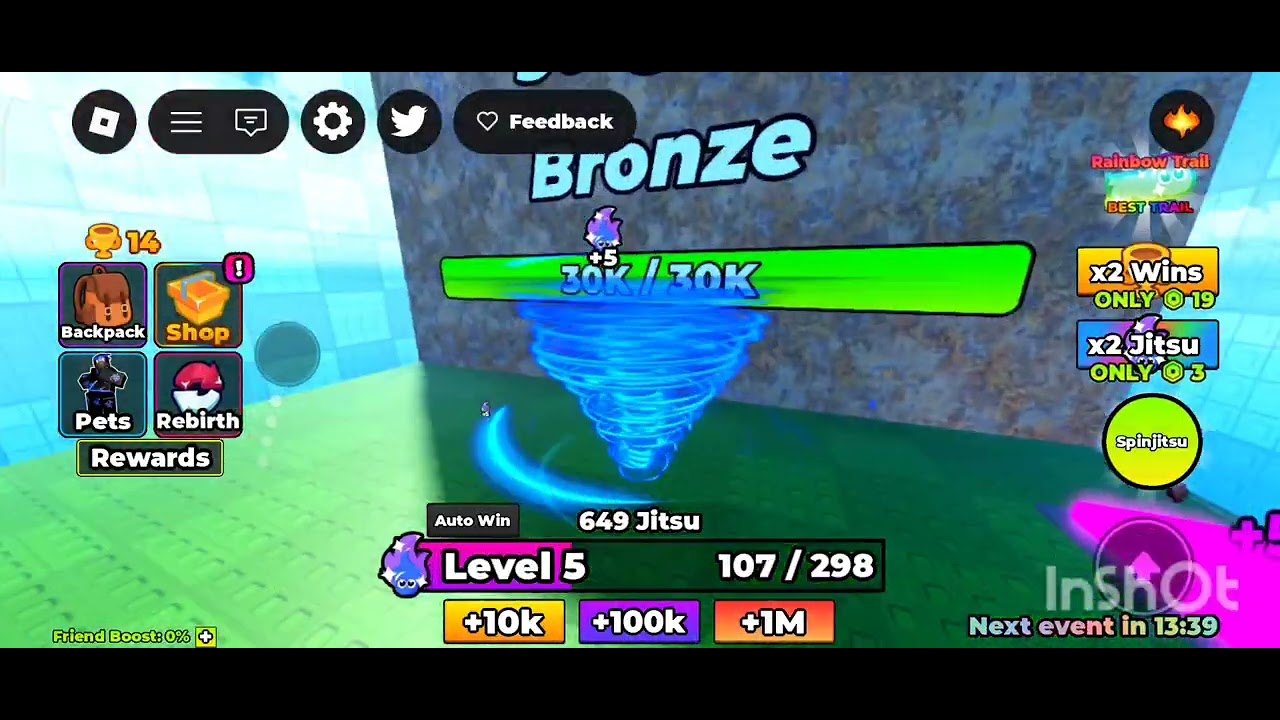
Speedsters Basement lists Desktop, Console, Mobile, and Tablet on the official +1 Spinjitsu Escape page. That is not marketing fluff. The smash loop is simple enough to travel: move, spin, hit a wall, open a shop, tap the bird icon when you have a code. The failure mode is also simple: you fight the camera or miss a UI button and decide the game is “broken” when your thumbs are in the wrong place.
This page is the device layer. The mechanic layer lives on how to play. Codes live on the redeem steps. Checklists and potion windows live under tools. Read this first if you just swapped from phone to PC, or if you cannot find the bird.
Roblox itself owns the outer chrome — jump, emote, report, leave. +1 Spinjitsu Escape owns the tornado. Do not hunt for a fighting-game combo sheet. There is no aerial cancel. There is hold-spin and a handful of menus.
What every platform shares
Regardless of device:
- Move to the next wall or stage. Standing still is not a farm unless you are already overlapping the target.
- Spin is the smash. Hold it. Tapping like a clicker idle will feel weaker than a continuous tornado.
- Camera has to show the wall. If you are staring at the skybox, you will miss chips and think Jitsu is bugged.
- UI holds shops (Jitsu, eggs, fuse, rebirth, potions) and the bird icon used to redeem codes.
- Like + join prompts can appear; they are progress, not ads. The extra reward is real.
If a control does nothing, check whether a menu is focused. Simulator UIs eat input. Close the shop, then spin. If spin still does nothing, you are in a loading hiccup or you are looking at someone else’s tornado on a busy ten-player server — it happens.
Desktop: keyboard, mouse, and the easy bird
On desktop, Roblox movement is the usual WASD (or arrow keys) with mouse-look. Sprint and jump exist because Roblox always has them; you rarely need parkour in this experience. The important desktop habits:
- Keep the mouse ready to turn the camera into the wall, not into a teammate’s cosmetic spin.
- Click and hold the smash / spin control if the game maps it to mouse; if it maps to a key, hold the key. Do not click-spam unless you have confirmed tap-spin is actually stronger on your account — it almost never is.
- Use the cursor for UI. The bird icon is a small target. Desktop is the nicest place to type FUSE, WORLD4, UPDATE2, or POTION without autocorrect inventing a new code.
- Shift-lock / mouse-lock is a Roblox preference. If the camera feels drunk, toggle it and re-aim at the wall before you buy a panic upgrade.
Desktop is also where you should do fuse sessions and rebirth math. Tiny mobile number fonts plus a reset button is how people rebirth by accident. If you only play on a phone, still read the rebirth guide twice.
Keyboard users have one unique trap: chat focus. If you hit Enter to dismiss something and then WASD types into chat, you will walk nowhere and spin never. Click the world or press Escape until movement returns.
Mobile and tablet: thumbs, HUD, and fat-finger shops
Touch is official, not a side port. The left side of the screen is usually movement (dynamic thumbstick). The right side is camera drag plus action buttons. Spin will be a holdable button, not a gesture you have to draw.
Habits that save sessions:
- Play in landscape if the HUD collides with the notch. Portrait can hide the bird under Roblox’s own buttons.
- Rest a thumb on spin and steer with the other. Lifting spin every time you adjust camera is how walls “feel tanky.”
- Tap shops with the pad of your finger, then immediately check you did not also like-and-unlike the experience or open the wrong egg.
- Type codes in a notes app and paste if the on-screen keyboard keeps lowercasing. Codes are case-sensitive enough to waste a login.
- Tablet is just a larger mobile HUD. Use it. The extra screen is for seeing walls and for hitting the bird without opening Roblox’s friends list.
If your phone overheats, lower Roblox graphics in the in-experience menu. A prettier tornado that drops to 12 FPS will miss chip feedback and make you overspend on Jitsu you already could afford to skip. Frame rate is a control.
One-hand play is possible and worse. You will drift the stick, spin in place, and blame World 3. Sit down, two thumbs, then smash.
Console: sticks, buttons, and cursor mode
Console is supported. Expect left stick to move, right stick to look, and a face button or trigger to hold spin — the exact glyph follows Roblox’s current mapping, which can differ between Xbox and PlayStation. Treat the first two minutes as a bind check, not as a tutorial skip.
Console-specific pain:
- UI cursor. Many Roblox games swap into a floating cursor for shops. If you cannot highlight the bird, look for the toggle that shows a pointer. Without it you will spin forever and never redeem POTION.
- Stick drift. A drifting camera turns you off the wall. Recalibrate or deadzone in system settings; do not buy eggs to fix a hardware issue.
- On-screen keyboards. Codes are annoying. If you have a phone on the same Roblox account, redeem there, then continue the grind on the TV.
- Trigger hold. If spin is on a trigger, hold analog. Soft taps look like a weak Jitsu build.
Party chat does not grant extra smash. Mute if you need to hear your own footsteps into the next stage. The ten-player cap already supplies enough visual noise.
Bird icon, shops, and camera fights
The bird is the code booth. If you cannot see it, rotate the camera, close shops, and look at the edge of the HUD rather than at the tornado. The how to redeem page is the full sequence; this paragraph is only the “I cannot find the button” layer.
Shops should be opened standing somewhere safe. Opening eggs mid-wall is how you lose chip time. Opening rebirth mid-potion is how you donate a 2x. Use tools when you want a planner instead of a vibe.
Camera fights have three usual causes:
- Zoomed too far in, so the wall fills the screen and you cannot see the next stage.
- Zoomed too far out, so you cannot tell if you are chipping.
- Last-frame death of a menu that left you looking at the sky.
Reset zoom, aim at the seam of the wall, hold spin. If damage numbers or debris still refuse to appear, you have a Jitsu problem, not a bind problem — stop rebinding and go spend Wins on smash.
Cross-play is the default Roblox story: a tablet can share a ten-player server with a console and a PC. Your binds do not transfer. Your account does. Set up codes and group rewards on whichever device types easiest, then smash on whichever device aims easiest. That split is allowed and smarter than forcing a TV keyboard to spell WORLD4.
When the controls finally disappear from your attention, you are playing the actual game: walls, Wins, Jitsu, eggs, fuse, rebirth. Until then, the tornado is a camera test. Pass the test on the device in your hands, then go break the stage — not the analog stick, not the bird icon, and not the shop you opened because you could not find spin for ten seconds.
Frequently Asked Questions
Quick answers for codes, Jitsu, fuse, and World 4.
What platforms does +1 Spinjitsu Escape support?
Desktop, console, mobile, and tablet, per the official Roblox page. The smash loop is the same; the HUD and the bird icon are what change.
Where is the codes button?
The bird icon on the HUD. Close shops if you cannot see it, then follow how to redeem. Desktop typing is the least painful.
Should I tap spin or hold it?
Hold. Continuous Spinjitsu is the smash. Tap-spam usually means you are fighting the control, not the wall. Confirm in how to play.
Why does my camera keep missing the wall?
Zoom and yaw until the wall seam is centered, then hold spin. On console, check stick drift. On mobile, use two thumbs in landscape.
Can I redeem codes on console and grind on phone?
Yes. Codes and progress are on the account. Redeem on the device with the easiest keyboard, then smash on the device with the easiest aim.
Where do I go after controls feel fine?
Back to the loop: smash, spend, maybe potion. The tools hub has planners when you outgrow “just spin at it.”